Introduction
Tools for displaying NFTs#
ZORA provides multiple tools for making it easy to display NFTs.
Displaying Options#
- NFT Iframe: Embed NFTs into your own website
- NFT Components: React components that can be used to render NFT content
NFT Components assumes a React frontend.
NFT Iframe#
Embed any NFT shown on zora.co into your own website. All iframes are mobile responsive and are compatible with text, images, videos, and audio.
You can generate an iframe by entering in the zora.co URL for the NFT that you would like to display at embed.zora.co.
<div style="max-width: 960px; margin: 0 auto; position: relative;"> <style>.nft-embed-wrapper > iframe {width: 100%!important; height:100%!important; border: 0; position: absolute; top: 0; left: 0;}</style> <div class="nft-embed-wrapper" style="position: relative; width:100%; height:0; padding-bottom: 100%;"> <iframe src="https://embed.zora.co/0xabEFBc9fD2F806065b4f3C237d4b59D9A97Bcac7/5846?title=false&controls=false&loop=false&autoplay=false" width="100%" height="100%" scrolling="no" allowtransparency="true" allowfullscreen="true" sandbox="allow-pointer-lock allow-same-origin allow-scripts allow-popups"> </iframe> <div></div>NFT Components#
This library is made up of React components that can be used to render ERC-721 NFTs.
Default styling and fetching URLs are included with the library along with caching mechanisms and the ability to easily customize strings, render components, and add different styling.
Links direct to ZORA.co interfaces, but can be overridden by building out the functionality with the ZDK.
View Components Storybook Documentation ->
- Yarn
- NPM
yarn add @zoralabs/nft-componentsnpm install @zoralabs/nft-components --saveNFT Preview Component#
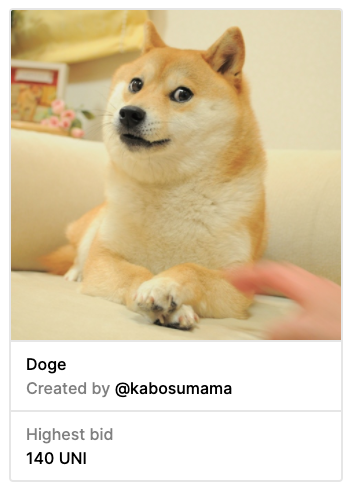
NFT Full Page Component#